Yagud Walking Pad Review: 6 Months Under My Desk
I've walked on the $182 Yagud walking pad most workdays for over six months, about 10,000 steps a day. Here's what's good, what's annoying, and who should buy it.
I buy what I test. If you buy through links in this article I may earn a commission, at no extra cost to you. How that works.
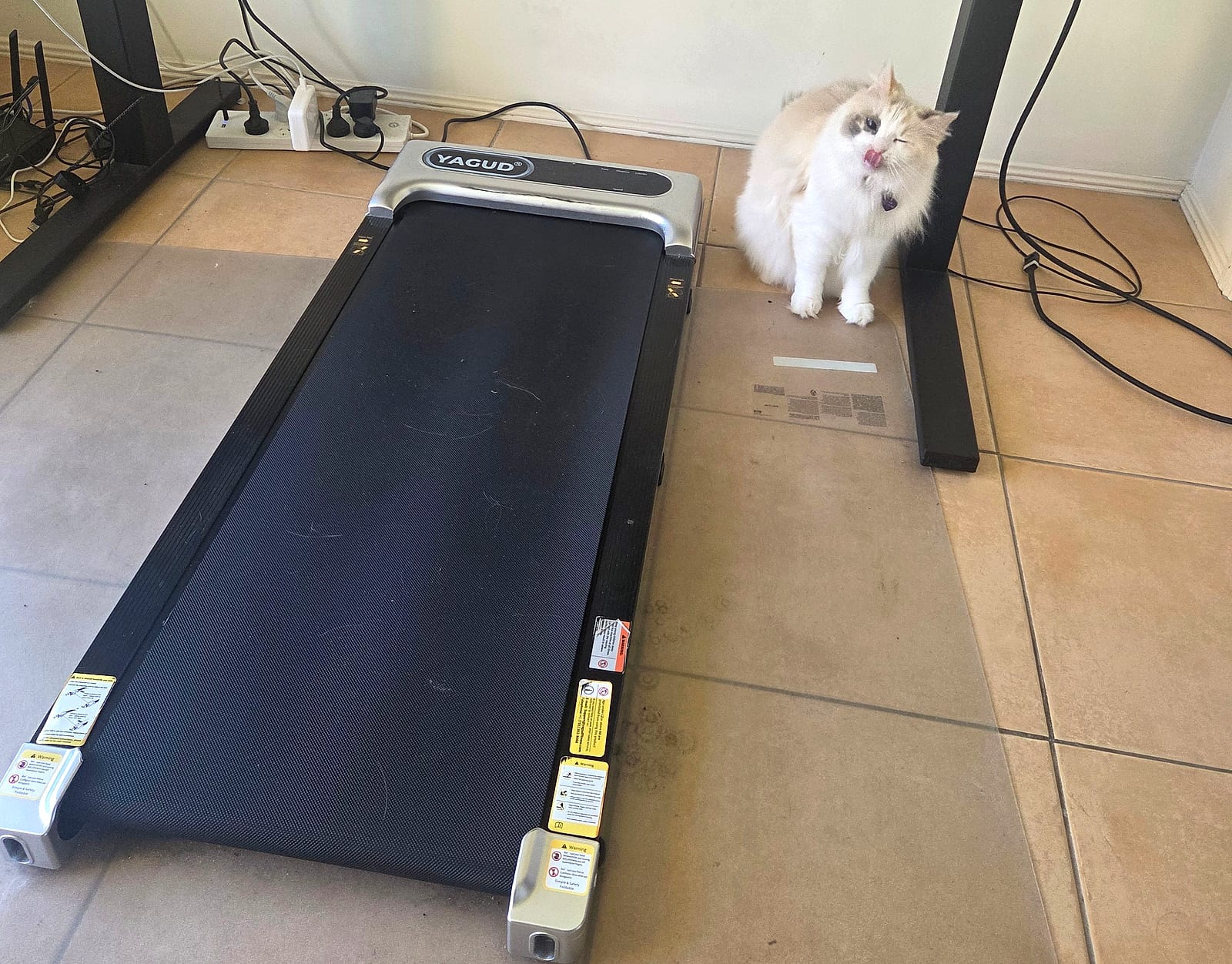
I work from home full-time, and for the last six-plus months the Yagud walking pad has lived permanently under my desk. I paid $181.99 for it on Amazon AU during a sale, and it’s become the most-used thing I own after my laptop.
The short version: it’s a simple, solid walking pad that does one job well. There are no clever features, and it beeps at you more than it needs to. But it hasn’t missed a day in six months, and at under $200 I’d buy it again without thinking about it.
Trial & Tested score
Yagud Walking Pad
Tested: 6+ months, most workdays
Verdict: A no-fuss walking pad that's been completely reliable under daily use. It's great value on sale, as long as you don't need an app, incline or a handrail.
Good for: People who work from home and want to get to 10,000 steps without leaving the desk.
Skip it if: Anyone who wants to jog, needs a handrail, or wants to move the pad around every day.
Why I bought one
My back started complaining about full days in a chair. These days I stand for my whole workday, and I’m walking for about half of it. A walking pad was the cheapest way to make standing all day feel less like standing all day.
I went with the Yagud mostly because of the price. At $181.99 on sale it cost less than a lot of the “budget” pads, and Amazon’s returns gave me a safety net if it turned out to be junk. It didn’t.
Specs
Yagud sells a few slightly different versions of this pad. These are the numbers listed for the no-handrail model. Mine has no handrail, no incline and no app.
| Listed | |
|---|---|
| Speed range | Up to about 6 km/h (listed as 3.8 mph) |
| Max user weight | 120 kg (listed as 265 lb) |
| Motor | “2.5 HP” (a peak figure, so treat it as marketing) |
| Controls | Remote control (takes batteries) and LED display |
| Handrail / incline / app | None |
| Warranty | 1 year |
What I measured
Listings don’t always give these, and they’re what decides whether a walking pad fits your space, so I got the tape measure out.
| Measured on mine | |
|---|---|
| Belt (walking surface) | 940 mm long × 376 mm wide |
| Height at the front (display end) | 110 mm |
| Height at the back | 60 mm |
The 376 mm belt is on the narrow side, which is fine for walking at a desk but not for anything more. It also sits low: only 11 cm at the display end. That means you only need to raise your standing desk by a few centimetres. It’s also low enough to fit under most couches and beds, although mine just lives under the desk (more on its weight below).
Setup: five minutes, tops
This is one of the best things about it. I unboxed it, plugged it in, put batteries in the remote, and started walking. It comes pre-lubricated, there’s nothing to assemble, and you don’t need any tools.
If you’ve ever put together a treadmill or a flat-pack desk, this is the opposite experience.
Walking and working on it
I’m 180 cm and about 85 kg on a good day. The pad lives under an IKEA sit/stand desk on a tiled floor. I use three speeds:
- 3 km/h: slow walk, for when I’m properly concentrating
- 3.5 km/h: my normal working speed for typing, email and calls
- 4 km/h: a faster walk for when I’m not typing
At 3.5 km/h I can type, take calls and sit in video meetings without anyone noticing. Above 4 km/h everything gets a bit wobbly. I can still walk fine, but typing gets hard and my hands start chasing the keyboard. For me, 4 km/h is the top working speed and anything faster is just a walk.
The deck is long enough for my stride. In six months I’ve never once stepped off the back or the side, even on long calls when I’m not paying attention to my feet.
I go by the step count on the pad’s display. On average I finish a workday at around 10,000 steps. Some days it’s more, some days less, depending on how many calls I have and how much I’m switching between 3 and 4 km/h.
Noise
Nobody on my calls has ever been able to hear it. The motor hum is low, and my mic doesn’t pick it up.
The noise that actually bugs me is the beep. Every time you press a button on the remote, the pad beeps loudly to confirm it. It’s useful feedback, I guess, but I set my speed at the start of every session, so I hear it several times a day, every day. It’s small, but after six months it’s the thing I’d change first.
In the room it’s not super loud, just a steady hum you stop noticing. That beep is the main reason it gets a 7 for quietness rather than higher.
The remote and the display
The controls are simple. Press the menu button on the remote and you get three goal presets: 5 km, 30 minutes or 50 calories. When you hit the goal, the pad simply stops. Otherwise, you pick a speed and walk until you decide you’re done.
That’s handy when you want a hard stop, like a 30-minute walk before a meeting. Just don’t pick a preset in the middle of a call unless you’re ready for the floor to stop under you.
The small annoyance is that it doesn’t remember anything. Your last speed and mode aren’t saved, so every time you turn it on you set it all up again (beep, beep, beep).

The remote runs on batteries, so keep a spare set in the desk drawer.
Six months in: what’s held up
Reliability: no problems at all. It hasn’t stopped mid-walk, thrown an error code, or needed a repair. For a pad that gets used for hours every workday, that’s the main thing I wanted to know when I bought it.
Lubrication. I lube the belt once a week because it gets daily use. That’s on the cautious side. Check what your manual says, because too much lube can make a belt slip. If you’ve never done it before, here’s how to lubricate and centre a walking pad belt.
Dust. This one surprised me. Dust and grit build up inside the plastic housing, and when I do move the pad it leaves a little trail of dirt behind. Give it a vacuum around and underneath every so often, and lift it rather than dragging it.
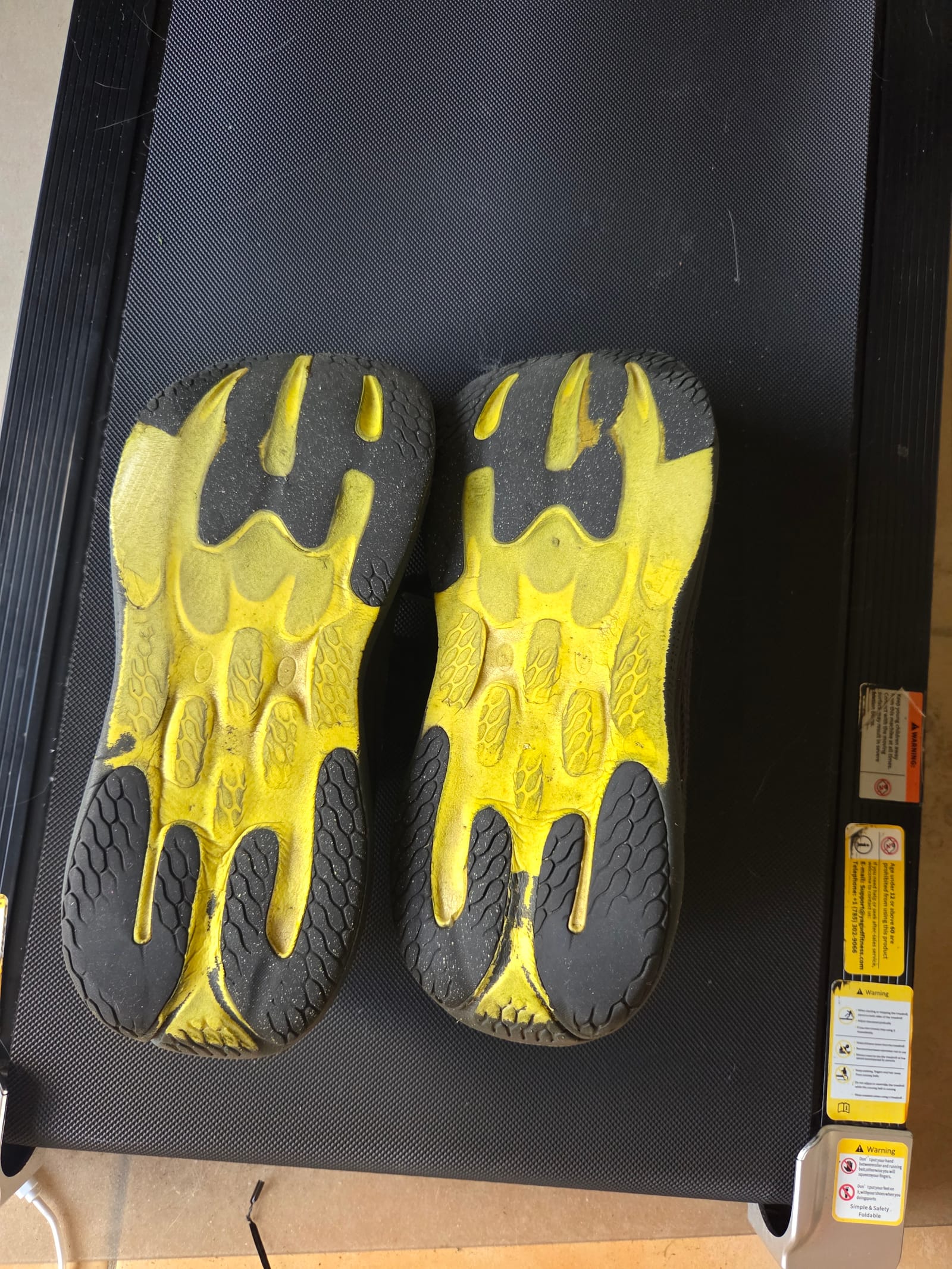
Your shoes wear out. The belt slowly grinds down the soles of whatever you walk in. I’d recommend a dedicated pair of walking pad shoes rather than wearing down your good runners.
Moving it
It’s heavy. It’s not something I’d want to drag out from under the couch every morning, which is why mine just lives under the desk. That said, my partner can move it on her own without too much trouble, so it’s manageable when you need to clean underneath.
What the cat thinks
I did try to get the cat to walk on it. She was not impressed. Six months on, she’s still completely uninterested in it, and as far as I can tell she thinks a machine that walks you nowhere is the dumbest thing a human has ever paid money for.
She might have a point.
What I liked
- Five-minute setup, comes pre-lubricated
- Totally reliable after 6+ months of daily use
- Quiet enough that nobody hears it on video calls
- Deck is long enough for a 180 cm walker, never stepped off
- Under $200 on sale, with a 1-year warranty
What annoyed me
- Loud beep every time you use the remote
- Doesn't remember your last speed or mode
- Collects dust inside, which comes out when you move it
- Heavy to move around often
Who should buy it
Buy it if you work at a desk and want more steps in your day without thinking about it. That covers trying to lose weight, staying active or just not sitting still for eight hours. If you’re going to leave it under your desk and walk at 3–4 km/h, it does exactly what you need for not much money.
Skip it if you want to jog, you need a handrail for balance, or you want an app, speed programs or incline. It’s also not ideal if you’ll be packing it away every day, because it’s heavy.
Would I buy it again?
Yes. That’s why value gets a 9. With a 1-year warranty, and the peace of mind that it goes straight back to Amazon if anything breaks, there wasn’t much risk at $181.99. Six months later it’s still going without a hitch. Under $200 on sale, it’s an easy yes. If you need a handrail or a smarter remote, you’ll have to spend more.
If you’re still deciding between this kind of thing and a full treadmill, read walking pad vs treadmill first.
I’ll update this review at 9 and 12 months. If anything breaks before then, it goes at the top.